Using the Web Interface
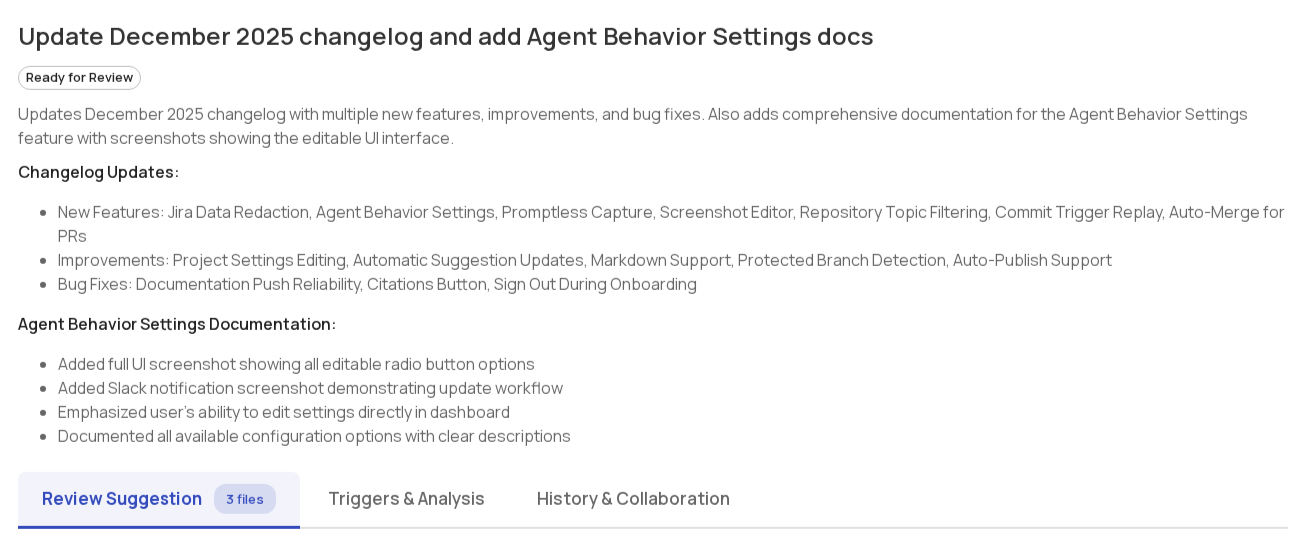
Suggestion overview
Each suggestion includes a title and description that explains what changes are being made and why.
Providing feedback
Promptless offers several ways to provide feedback on suggestions. Learn about all available feedback methods in the Providing Feedback guide.
Triggers page
The Triggers page shows all events that triggered Promptless over the last 30 days. Each entry displays:
- Trigger source: The event that fired (like a GitHub PR or Slack message)
- Status: Processing state (completed, in progress, or error)
- Suggestions created: Whether documentation updates resulted from this trigger
- Timestamp: When the trigger occurred
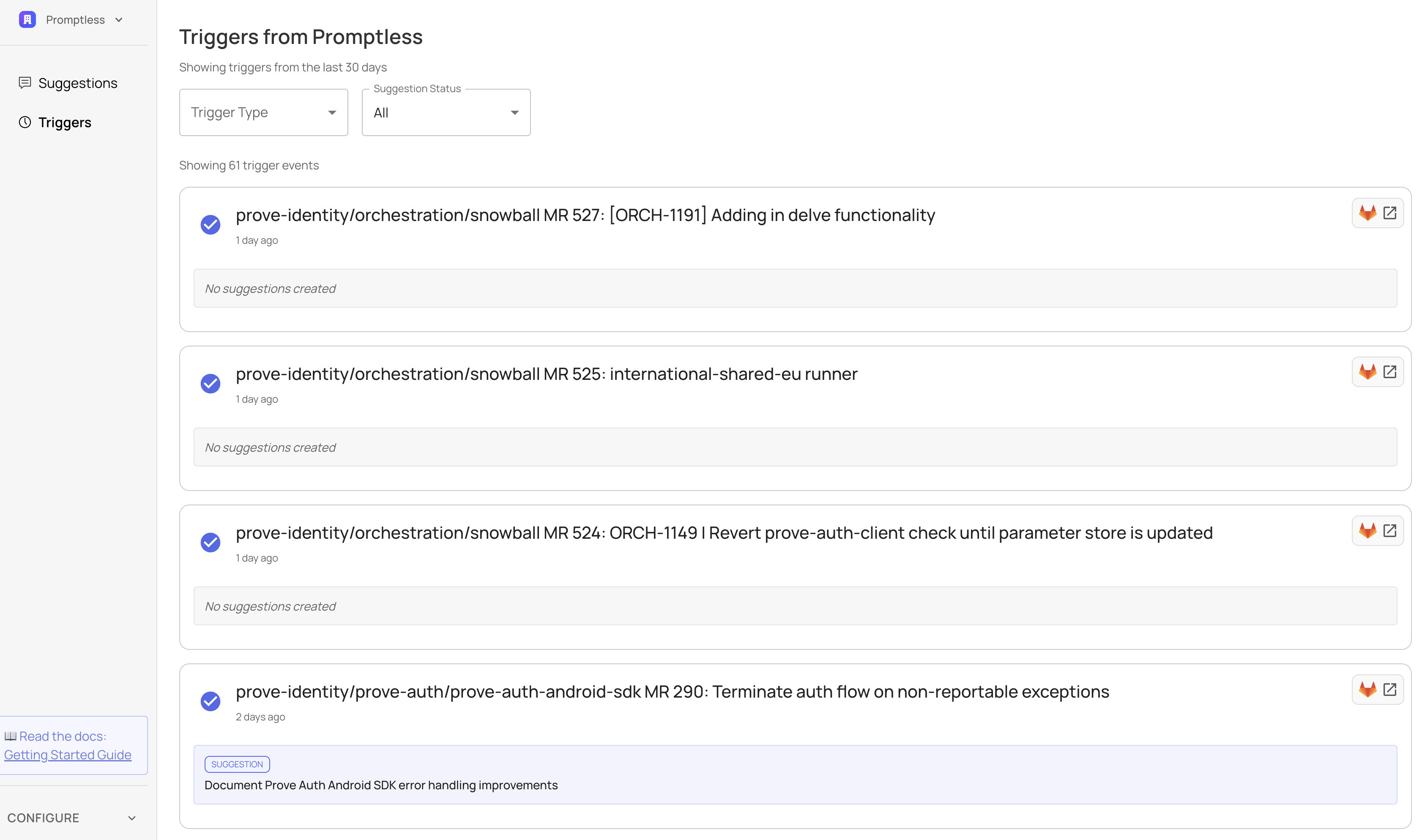
Use the search box to find triggers by PR info, Slack thread topic, task name, or other summary text—including events older than 30 days. Use the filters to narrow down by trigger type or suggestion status. Click any trigger to see full details, including what research Promptless did and why it created (or skipped) documentation updates.
Need help with the web interface? Contact us at help@gopromptless.ai.