Jira
Jira integration provides access to your project management and issue tracking data for documentation automation. When Jira is configured as a context source, Promptless can search for related tickets to understand requirements and business context.
How It Works as Context Source
When Jira is enabled as a context source:
- Automatic Issue Retrieval: When a GitHub PR or other trigger mentions a Jira ticket (like “PROJ-123”), Promptless automatically retrieves that specific issue for additional context
- Proactive JQL Searches: Promptless can proactively search Jira using JQL queries to find related issues, epics, and project data
- Business Context: Jira tickets provide requirements, business logic, and feature context that enhance documentation accuracy
Example
If a GitHub PR references a Jira ticket (like “PROJ-123”), Promptless automatically reads that Jira ticket for additional context. It also proactively searches Jira using JQL for related issues and epics.
JQL Search Capabilities
Promptless leverages Jira’s powerful JQL (Jira Query Language) search functionality to find relevant context. This allows intelligent searching across your Jira projects to find related issues, epics, and dependencies.
Configuration
Configure Jira context in your project settings:
- Enable Jira as a context source for your project
- Select which Jira projects Promptless can search within
- Promptless will only search projects you explicitly configure
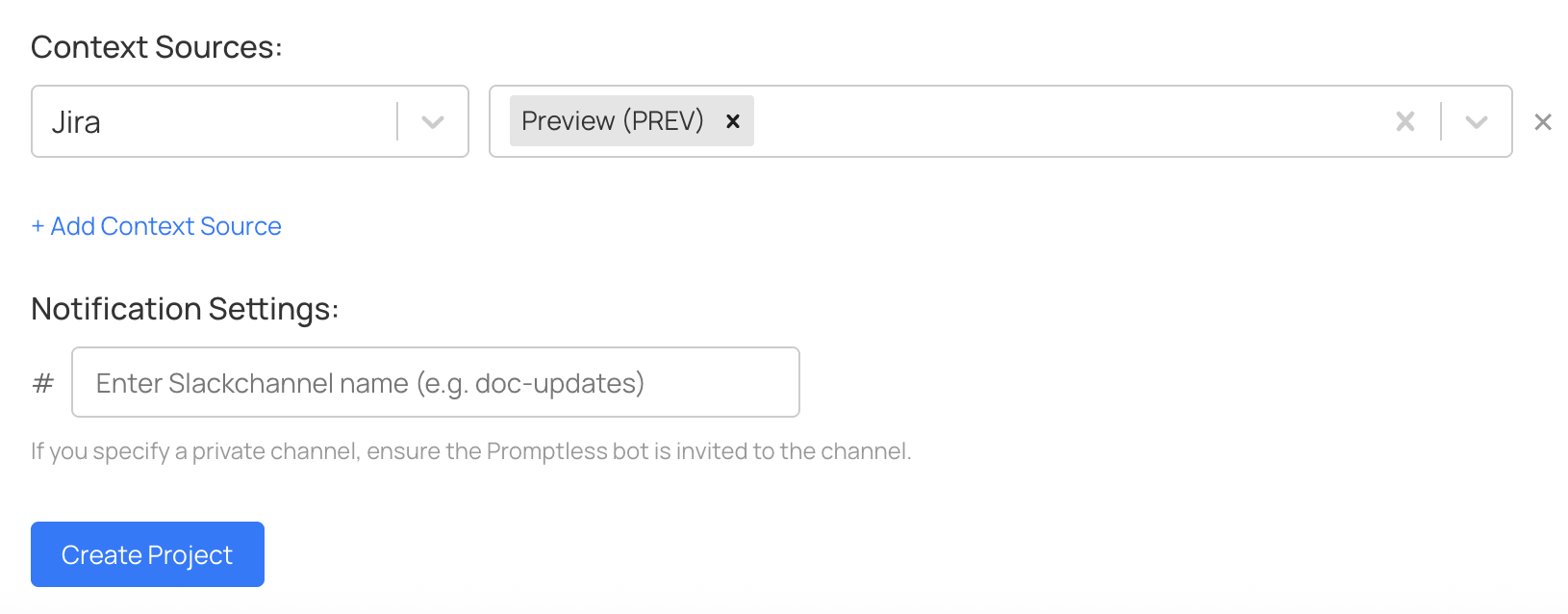
Promptless inherits the permissions of the Jira account used during OAuth connection and will only search projects you explicitly configure.
Data Privacy and Security
Promptless queries Jira data in real-time and does not store any of your Jira data. All searches are performed on-demand when documentation updates are needed.
For information about data processing and redaction capabilities, see the Atlassian integration page.
Setup Instructions
To connect Jira to Promptless, see the Atlassian Integration setup guide.